The Kajabi Problem: Paying for Features You Don't Use
Kajabi is an impressive platform. Websites, blogs, podcasts, courses, communities, email marketing, pipelines — it does everything. For a creator running a large, established business with complex needs, it can genuinely be worth the price.
But most creators aren't running large, established businesses when they sign up for Kajabi. They're paying $149/month minimum hoping the platform's sophistication will accelerate their growth — only to discover they're using 15% of the features they're paying for.
Here's what actually happens: you sign up, go through the onboarding, get overwhelmed by the interface, use the course builder and basic email tools, and pay $1,788 per year for the privilege. Meanwhile, platforms delivering those same core features exist at $19–$39/month.
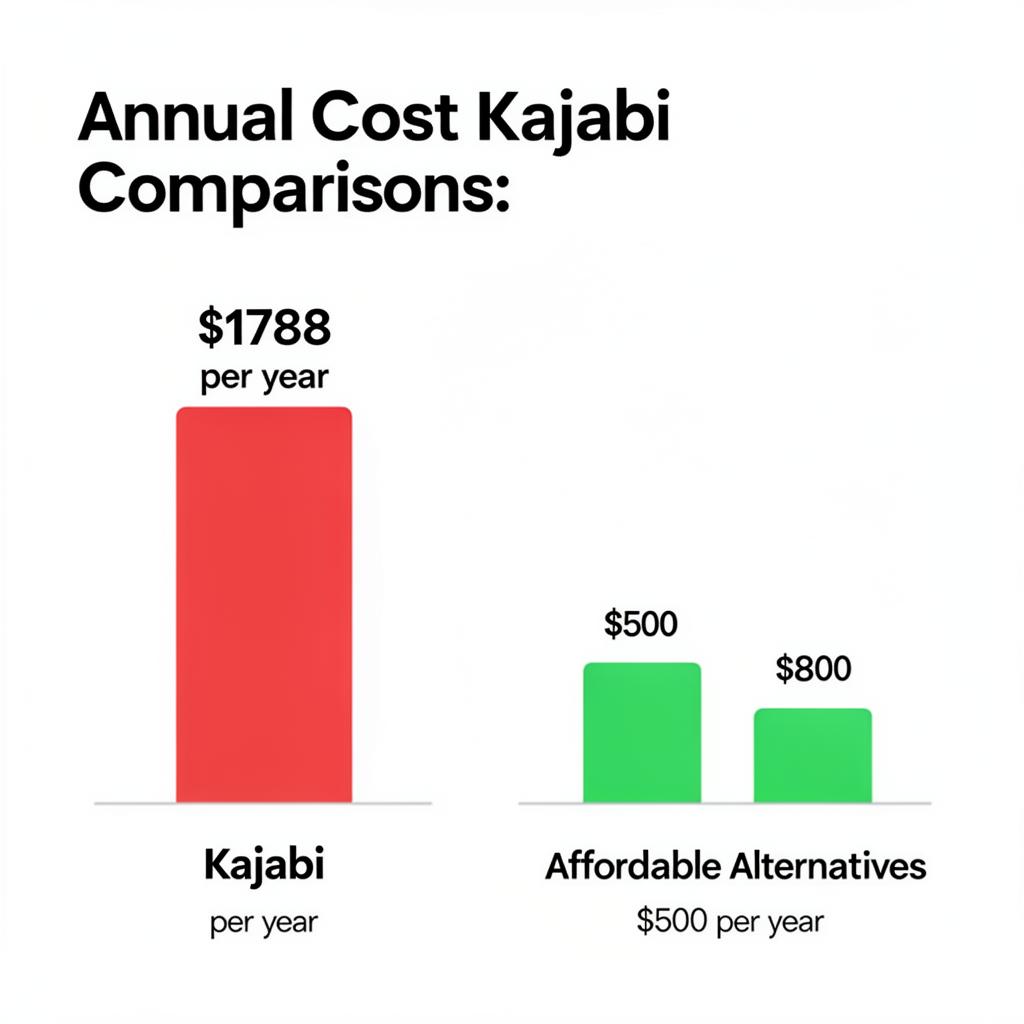
The Real Cost of Kajabi by Plan
| Kajabi Plan | Monthly (billed monthly) | Annual (billed yearly) | Products Limit | Active Customers |
|---|---|---|---|---|
| Basic | $149/mo | $1,428/yr | 3 products | 1,000 |
| Growth | $199/mo | $1,908/yr | 15 products | 10,000 |
| Pro | $399/mo | $3,828/yr | Unlimited | 20,000 |
Note: The Basic plan limits you to 3 products. If you want to sell more than 3 courses, digital downloads, or memberships, you're on the $199/month plan before you've even built your second product.
Who Should Actually Use Kajabi
Before comparing alternatives, be honest about whether you need Kajabi at all.
Kajabi genuinely makes sense if:
If none of those apply to you right now, you're overpaying significantly. Here's what to use instead.
The Best Kajabi Alternatives in 2026
1. Creastor — Best for Social-First Creators
Price: Free (5% fee) · $19/mo · $39/mo
Transaction fees on paid plans: 0%
Best for: Creators who sell from Instagram, TikTok, and YouTube and want courses, digital products, and email marketing in one place

Creastor occupies the space between Stan Store (too simple, no courses) and Kajabi (too complex, too expensive). It's built specifically for the creator who drives sales from social media — which describes the majority of course sellers in 2026.
What Creastor offers that Kajabi also offers:
What Creastor offers that Kajabi doesn't:
What Kajabi offers that Creastor doesn't (yet):
Verdict: For creators under $8,000/month who sell primarily from social media, Creastor delivers 80% of Kajabi's value at 13% of the price.
2. Teachable — Best Standalone Course Platform
Price: Free (transaction fees apply) · $39/mo · $119/mo · $299/mo
Best for: Course-first creators who want a dedicated LMS with strong student experience
Teachable focuses almost exclusively on courses and coaching — it does this very well. The course player is polished, the student experience is strong, and the affiliate management tools are mature.
The limitations: it's not a bio link storefront, it's not designed for social media traffic, the free plan charges 10% transaction fees, and it lacks the digital download and email marketing tools that Creastor includes natively.
Best for: Established course creators with an existing audience who want a dedicated, professional course platform and don't need bio link integration.
3. Thinkific — Best for Learning-Focused Courses
Price: Free · $36/mo · $74/mo · $149/mo
Best for: Educators who need advanced LMS features like drip content, quizzes, and certificates
Thinkific has the strongest native LMS feature set among the mid-tier alternatives. Drip content scheduling, student certificates, completion rates, quiz assessments — these are all included.
The limitations mirror Teachable: it's a course platform, not a creator commerce platform. No bio link storefront, no digital download delivery, and email marketing requires a third-party integration.
Best for: Educators whose primary product is a structured, assessment-heavy course and who have established traffic from sources other than social media.
4. Podia — Best for Simplicity
Price: $39/mo · $89/mo
Best for: Creators who want one platform for courses, downloads, and email without complexity
Podia sits closest to Kajabi in philosophy — an all-in-one tool that handles courses, digital downloads, and email marketing. It's significantly more affordable than Kajabi and meaningfully simpler to navigate.
The limitations: no bio link storefront, limited customization, no built-in SEO optimization, and no creator safety features. The email marketing is functional but basic compared to Kajabi's automation depth.
Best for: Creators who want a simple, clean all-in-one platform and already have a website or newsletter driving traffic.
5. Systeme.io — Best for Advanced Funnels on a Budget
Price: Free · $27/mo · $47/mo · $97/mo
Best for: Marketers who need sophisticated funnel automation without Kajabi's price
Systeme.io is the most feature-rich budget option if funnel building is your primary need. Email automation, A/B testing, sales funnels, course hosting, affiliate management — all included at a fraction of Kajabi's price.
The trade-off is complexity. Systeme.io is built for marketers who know what they're doing with funnels. If you don't have that background, the learning curve is steep and the interface feels cluttered.
Best for: Experienced digital marketers who need Kajabi-level automation at Systeme pricing and are comfortable with a complex backend.
Feature Comparison: Kajabi vs Alternatives
| Feature | Kajabi | Creastor | Teachable | Thinkific | Podia |
|---|---|---|---|---|---|
| Entry price | $149/mo | $19/mo | $39/mo | $36/mo | $39/mo |
| Transaction fees | 0% | 0% paid | 0% paid | 0% | 0% |
| Free plan | ❌ | ✅ | ✅ (10% fee) | ✅ | ❌ |
| Course builder | ✅ Full | ✅ Full | ✅ Full | ✅ Full | ✅ Full |
| Digital downloads | ✅ | ✅ | ⚠️ Limited | ❌ | ✅ |
| Memberships | ✅ | ✅ | ✅ | ✅ | ✅ |
| Email marketing | ✅ Advanced | ✅ Sequences | ⚠️ Basic | ⚠️ Basic | ✅ |
| Bio link storefront | ❌ | ✅ | ❌ | ❌ | ❌ |
| SEO-optimized pages | ⚠️ Partial | ✅ Full | ⚠️ Partial | ⚠️ Partial | ⚠️ Partial |
| Website builder | ✅ Full | ❌ | ❌ | ❌ | ❌ |
| Community features | ✅ | ❌ | ❌ | ❌ | ❌ |
| Podcast hosting | ✅ | ❌ | ❌ | ❌ | ❌ |
| Promo codes | ✅ | ✅ | ✅ | ✅ | ✅ |
| Order bumps | ✅ | ✅ | ❌ | ❌ | ❌ |
| Affiliate management | ✅ | ✅ | ✅ | ✅ | ⚠️ |
| Age gating / safety | ❌ | ✅ | ❌ | ❌ | ❌ |
| Custom domain | ✅ | ✅ | ✅ | ✅ | ✅ |
The Real-World Cost Comparison
Let's run the math for a creator making $3,000/month selling a $197 course.
Kajabi Basic ($149/mo):
Creastor Pro ($39/mo):
Difference: $1,320/year saved with Creastor.
That $1,320 could fund:
At $10,000/month in revenue, the math shifts — Kajabi's richer feature set may start to justify the cost. But under that threshold, you're subsidizing features you're not using.
What Kajabi Does Better — Honestly
Any fair comparison has to acknowledge where Kajabi genuinely wins.
The Website Builder
Kajabi's website builder is in a different category from what alternatives offer. Full custom navigation, blog with SEO, about pages, testimonial sections, custom landing page templates — it replaces your need for Squarespace or WordPress entirely.
If your marketing strategy relies heavily on a content blog and branded website rather than social media bio links, Kajabi's website infrastructure is hard to match at any price point.
Email Automation Depth
Kajabi's automation pipelines support conditional logic, behavioral triggers, event-based enrollment, and multi-step sequences that most alternatives can't match. If you're running sophisticated evergreen launch funnels with time-sensitive conditional branches, Kajabi's pipeline builder is genuinely the best in the creator space.
Community
Kajabi's community feature allows members to post, comment, complete challenges, and interact with each other inside the platform. Alternatives either don't have this or bolt it on weakly. If peer community is central to the value of your course or membership, Kajabi has a legitimate advantage.
Brand Perception
For some markets, "I use Kajabi" signals seriousness and investment in your business. If your buyers are sophisticated course consumers who recognize platforms, this brand perception can have real conversion impact. It's soft, but it's real.
How to Choose the Right Kajabi Alternative
Choose Creastor if:
Choose Teachable if:
Choose Thinkific if:
Choose Podia if:
Choose Kajabi if:
How to Migrate from Kajabi to Creastor
If you're currently on Kajabi and your revenue doesn't justify the price, switching is straightforward.
Step 1: Export Your Student Data from Kajabi
Go to Kajabi's People section → Export contacts as CSV. This gives you your student email list, which you'll import into Creastor's subscriber management.
Step 2: Export Your Course Content
Download your course videos from Kajabi (Settings → Downloads or individual lesson settings). Save all your written lesson content.
Step 3: Set Up Your Creastor Store
Create a free Creastor account → and configure your store theme, branding, and bio information.
Step 4: Rebuild Your Course in Creastor
Use the Creastor course builder to recreate your lesson structure. Upload videos, add written content, and organize into modules. This takes 2–4 hours for a typical course.
Step 5: Import Your Email List
Upload your Kajabi student CSV to Creastor's subscriber management. Set up a re-engagement sequence welcoming students to the new platform.
Step 6: Update Your Bio Link and Marketing
Replace your Kajabi links with Creastor links across all your social media bios, email signatures, and any pinned posts. Most creators complete the full migration in a weekend.
The Bottom Line
Kajabi built the category. For large, established creator businesses with complex needs, it remains a credible choice. But for the majority of creators — especially those under $10,000/month who sell primarily from social media — paying $149–$399/month for a platform whose advanced features sit unused is simply not good business.
The creator economy in 2026 rewards efficiency. Every dollar saved on platform fees is a dollar you can invest in content, advertising, or product development. At $19/month with 0% transaction fees, Creastor delivers the features that actually drive revenue — courses, email sequences, digital downloads, and a conversion-optimized storefront — without the enterprise overhead.
The question to ask yourself is simple: Am I using $130/month worth of Kajabi's features? If the honest answer is no, you already know what to do.